
Put your defences to the test with Continuous Security Validation

Penetration Testing can be a great way to test your network for weaknesses and identify any uncovered vulnerabilities. The results are then used to shore up weak areas that hackers could exploit, not to mention that many security standards require periodic testing from qualified companies. However, if your test is only performed annually or at the start of a project, it can leave you open to cybercriminals who regularly update and change their attack methods, sometimes on a daily basis. New threats are constantly popping up, and you need to be sure you can challenge attacks to ensure the safety of your valuable data and information. This is where Continuous Security Validation technologies can help.
What is Continuous Security Validation?
Continuous Security Validation, from companies such as Cymulate, test your internal and external defences against the latest threats and can be customised to your exact needs, making it simple to measure and track your security posture across the business and even 3rd parties. Continuous Security Validation also helps to easily identify weaker areas of your infrastructure needing further investment or changes. You receive your results in minutes and can sleep easily knowing that your defensive infrastructure can withstand whatever threats are made.
The Benefits of Continuous Security Validation?
Visibility is everything for cyber security teams. Having access to immediate, up-to-date reports provides total visibility of security gaps before they can be taken advantage of. Organisations are able to assess their security posture on an ongoing basis, with the latest data and insights at their fingertips. Cymulate even offers actionable remediation guidance, helping you to quickly deploy effective solutions to the issues raised in your reports. 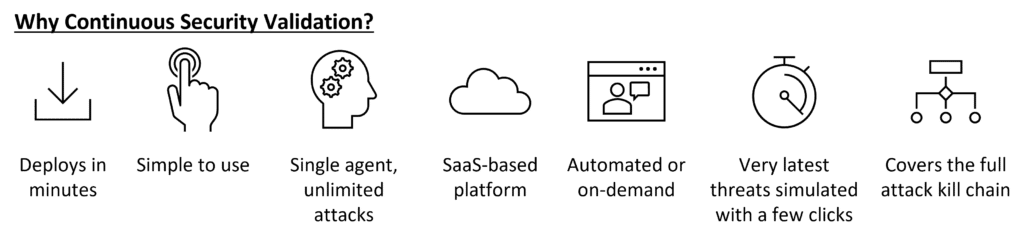 For organisations looking for support in meeting compliance and regulatory standards, such as ISO 27001, Continuous Security Validation technology, in partnership with thorough penetration tests and vulnerability management technology, can be a godsend. We offer a range of security solutions that follow the Predict, Prevent, Detect & Respond methodology. See how effective your security really is before it’s too late with Espria.
You may be interested in
Five Printer Security Risks Most Small Offices Never Think About
5 Print Security Risks Hiding in Your Office Following on from our earlier piece on printers as network endpoints, it is worth being specific about what actually goes wrong. These are the five risks we see most often when we assess a print fleet for the first time. The five print security risks to look out for 1. Default or shared admin passwords. Many devices are still running the password they arrived with, often known publicly for that model. 2. Unsecured print queues. Documents sitting in a print queue, or printed and left uncollected in…

From AI Experimentation to Real Business Outcomes: Our Takeaways from Microsoft Frontier Tour London
This week, Pete Graham, Microsoft Business Manager at Espria, attended Microsoft Frontier Tour London alongside members of the wider Espria team to hear directly from Microsoft leaders, partners and customers about the future of artificial intelligence. Having attended Microsoft’s AI Tour last year, Pete was interested to see how the conversation had evolved over the past 12 months. What became clear throughout the day was that the discussion around AI has matured significantly. A year ago, many organisations were still asking what AI could do. Today, the focus is increasingly on how to adopt it…
Critical PHP vulnerabilities: do you know who owns the fix?
When websites and applications sit with different teams and suppliers, the first challenge is knowing who needs to act. Critical vulnerabilities have been disclosed affecting PHP, a technology widely used across websites, web applications and other software products. The technical advice is clear: identify affected systems and apply the available updates. But for many organisations, the first challenge is understanding where PHP is being used, who manages those systems and who is responsible for taking action. To help you identify potential exposure, we have created a PHP Security Checker to determine whether your systems have…
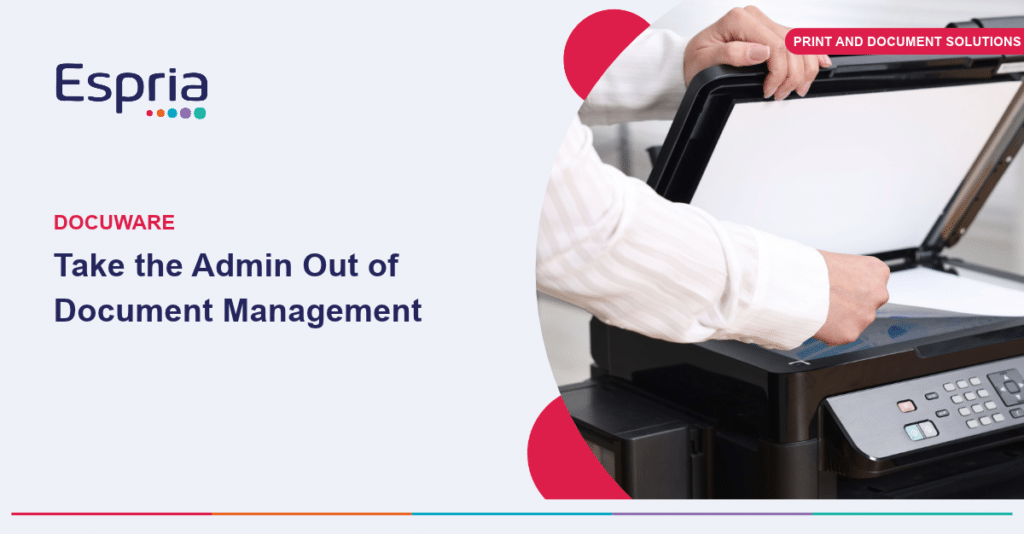
Beyond the Filing Cabinet: What Document Management Actually Saves You
Document Management for Small Offices with DocuWare For many small offices, document management still means a filing cabinet, a shared drive with inconsistent folder names, and a lot of time spent searching for the one contract or invoice somebody needs right now. DocuWare replaces that with a structured, searchable system that sits behind your everyday paperwork. What does DocuWare mean in practice? Giving Office Managers time back For an Office Manager who is often the person holding the whole administrative process together, this is time back. Fewer interruptions to find a document for a colleague,…
Copilot vs. Claude
Why Microsoft 365 Copilot fits every day work A plain-English guide for people trying AI at work: what Copilot does, how it differs from a separate assistant such as Claude and where to start. The short answer Claude is a separate AI workspace. Copilot sits inside the Microsoft apps many teams already use and can work with the emails, files and meetings each person is allowed to access. A separate assistant helps when: Copilot helps when: – You need help creating or developing content from scratch. – The task is focused research, reasoning or code….
Microsoft is changing Copilot billing. Here’s how to stay in control of AI costs
From 1 December 2026, new Microsoft 365 Copilot Business purchases through CSP will come with usage-based billing already configured. At first glance, that might sound like another variable cost for IT and finance teams to manage. But it also gives businesses a practical way to access the next generation of Copilot experiences while retaining control over who can use them, how much they can spend and where that money goes. This matters because Copilot is changing. New experiences such as Copilot Cowork are designed to carry out larger, multi-step pieces of work. That creates more…